
Totally Free Burner
7.5.1
Size: 1.53 MB
Downloads: 4581
Platform: Windows (All Versions)

DVD and CD discs are still very popular, even though they are around for a while. That's because they are very accessible, they can store a fair amount of data and they can be read by many media devices and even car players. But a CD or DVD is useless without having a burning application to store data or music on it. The newer versions of the Windows operating system have a feature for burning CD and DVD discs, but unfortunately, this feature is very limited and doesn't please the majority of users. In this case, one can use an alternative application for burning discs. Nero is the most known program in this case. Still, the application has its downsides. It's expensive, takes up a lot of hard disk space and it's difficult to use.
Totally Free Burner is a totally different burning application. That's because it's simple enough to be used by beginners but complex enough for advanced users. It's a Windows application with a familiar and intuitive installation wizard. But that's not all that's intuitive, as the interface of the program is also simple to use. It features several graphical buttons which allow creating different CD and DVD projects. These include audio CDs, video CDs, data CDs/DVDs and burning discs using image files as source.
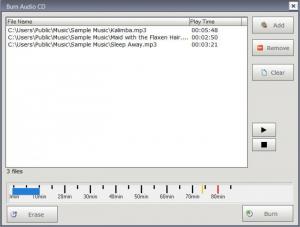
Any of these buttons will open a new window, where the user can add his desired files and folders that should be placed on the disc. In case one wants to burn an audio CD, he can import a wide range of audio formats into the program. The same goes for video CDs, as almost any video file type is supported. In case the user wants to create data discs, he can use virtually any type of file. As files and folders are added to the interface, a meter in the bottom shows in real time how much space is left on the disc.
Besides burning different types of discs, Totally Free Burner can also erase rewritable discs, for reusing them over and over again. Besides that, disc projects can be saved as image files, for burning them later using the same application.
Pros
It allows creating different types of discs, like audio and video CDs and data CDs/DVDs, using any desired file and folder. Besides that, disc projects can be saved as image files or can be burned using various settings. Furthermore, rewritable discs can be erased using this application.

Cons
It doesn't have all the advanced options required by an experienced user. Totally Free Burner is a free burning software that allows you to create any type of disc.

Totally Free Burner
7.5.1
Download
Totally Free Burner Awards

Totally Free Burner Editor’s Review Rating
Totally Free Burner has been reviewed by Jerome Johnston on 28 Mar 2012. Based on the user interface, features and complexity, Findmysoft has rated Totally Free Burner 4 out of 5 stars, naming it Excellent







